Интерфейс программы RadioBOSS:
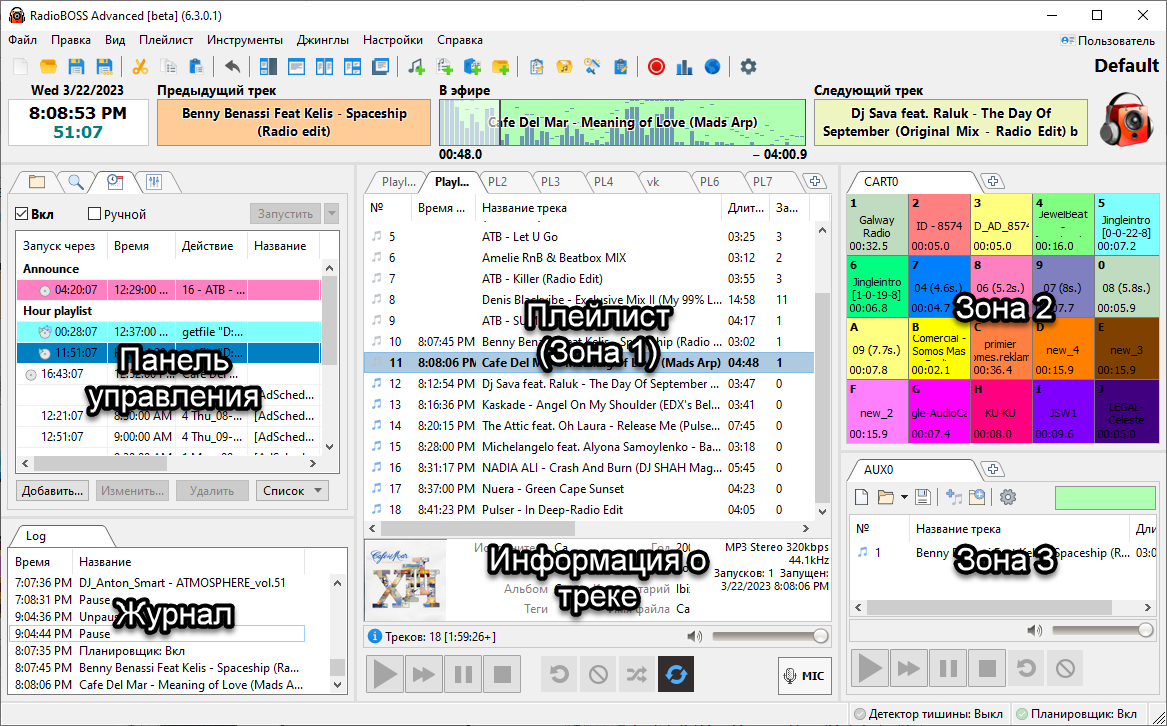
1. Меню.
Меню позволяет использовать множество функций программы.

Подробная информация в разделе Меню
2. Панель инструментов.
Некоторые функции вынесены на панель инструментов для удобного доступа.

Подробная информация: Панель инструментов
3. Панель управления.
Содержит планировщик, проводник, поиск по базе и DSP эффекты.

Подробная информация: Панель управления
4. Плейлист (зона 1).
Окно плейлиста содержит список треков в виде таблицы.
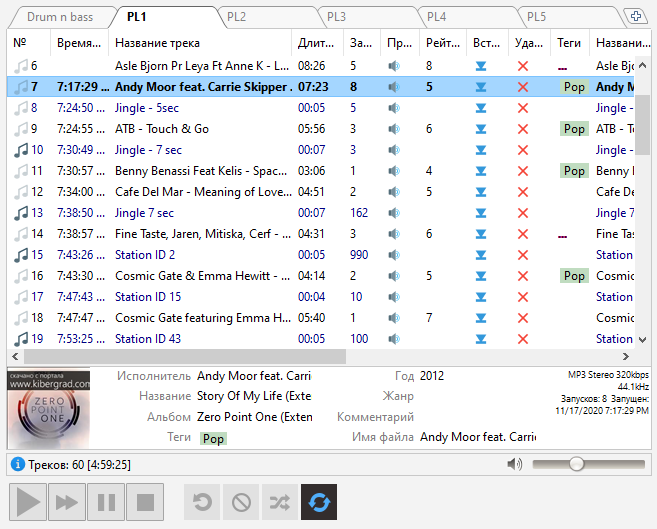
Дополнительная информация: плейлист.
Дополнительные зоны можно активировать через меню Вид - Рабочие зоны.
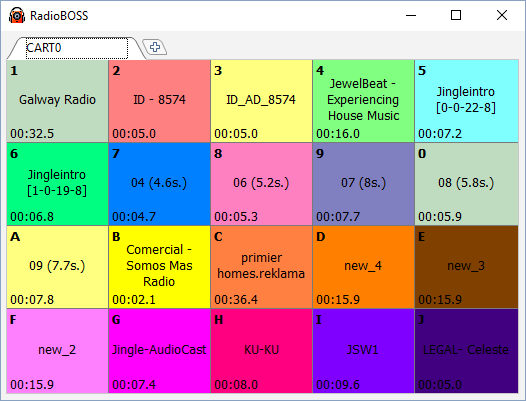
В зонах 2 и 3 можно разместить Карт-машину, AUX плейлист, Web браузер, Блокнот, Поиск и другие элементы..
Дополнительная рабочая зона выполнена в виде отдельного окна и может быть использована, например, на другом мониторе.
6. Плеер.
Управление воспроизведением:

Более подробную информацию об управлении воспроизведением вы можете посмотреть здесь: Управление воспроизведением.
Стиль кнопок плеера можно изменить, нажав: Настройки->Вид, далее выберите категорию Стиль.
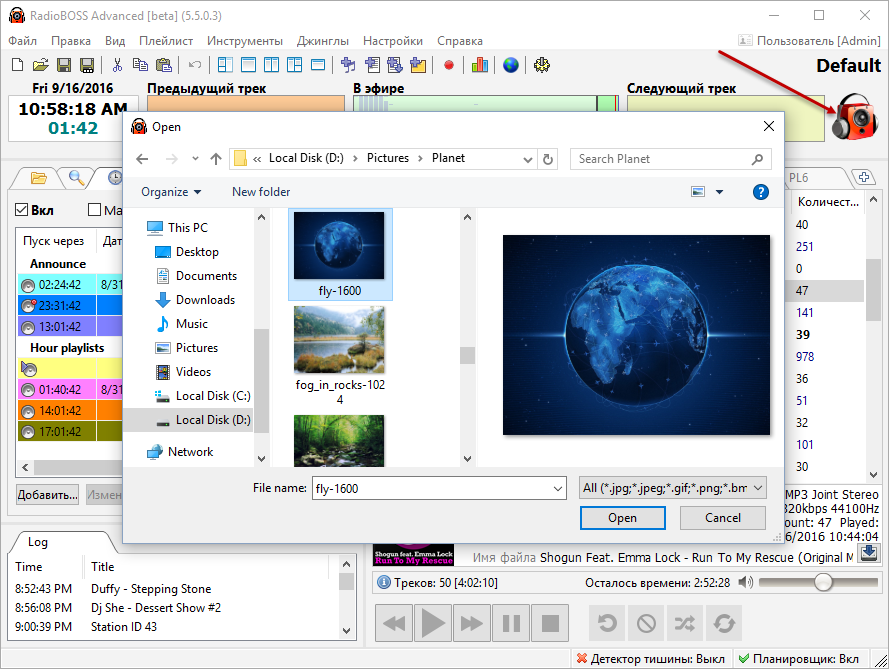
Вы можете изменить логотип радио. Для этого нажмите правой кнопкой мыши на картинку в правом верхнем углу. У вас появится окно, в котором вы сможете выбрать новый логотип.
Над логотипом имеется надпись Default - это название текущего профиля. Изменить его можно, сохранив профиль под другим именем, нажав Настройки -> Сохранить профиль как.
Дополнительно: