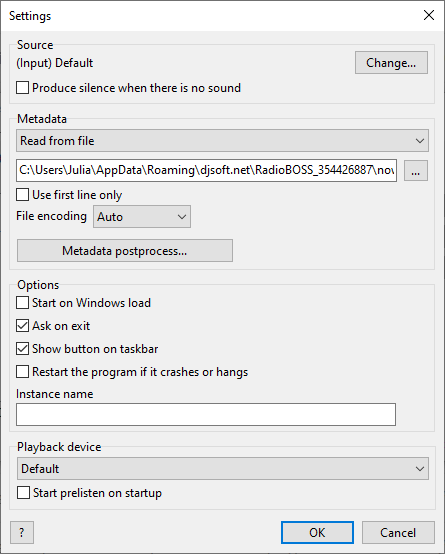
Source – sound source for broadcasting.
Metadata – metadata (track titles) source.
General
Start with Windows – start RadioCaster when the Windows user logs in
Ask on close – confirm when closing RadioCaster
Show button on taskbar – if disabled, RadioCaster will be available as a system tray icon
Restart the program if it crashes or hangs – automatically restart RadioCaster if it crashes
Prevent the computer from entering sleep mode – if this is enabled, the computer will not enter sleep mode when RadioCaster is running
Instance name – instance name to identify RadioCaster installation, it's displayed in the title bar
Playback device – device to use for prelistening.