RadioBOSS' user interface overview:
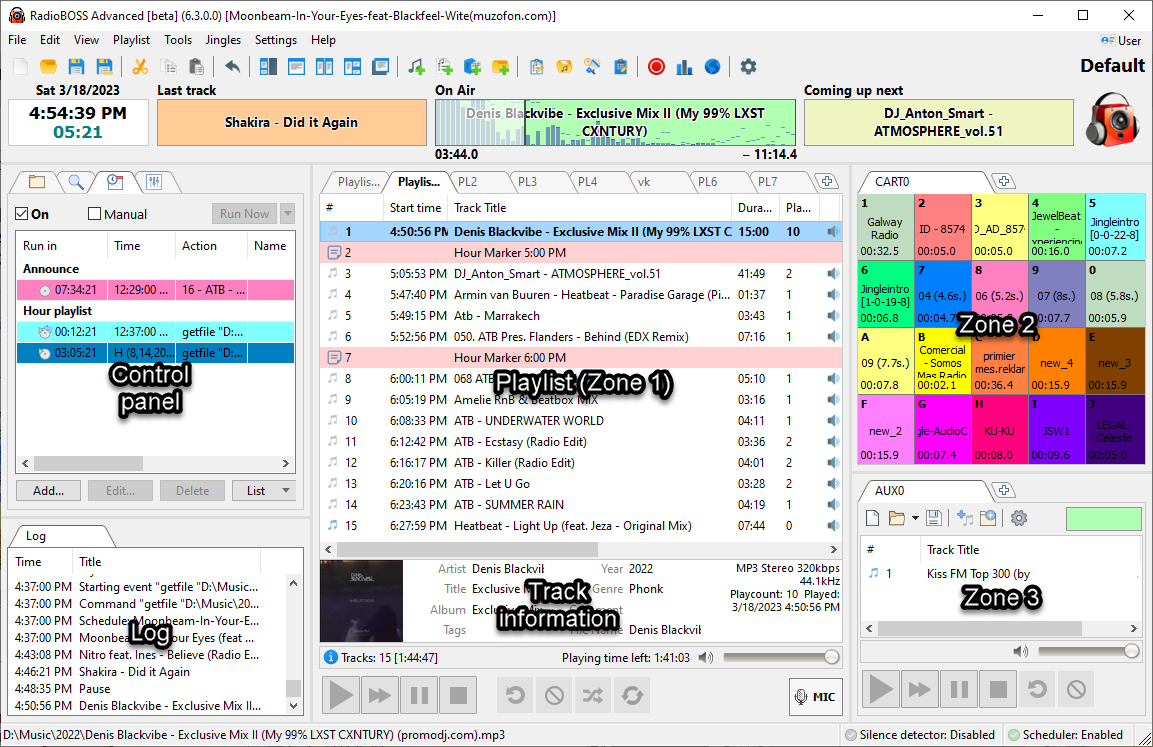
1. Top menus
Top menus provide quick access to most of the commands and options of the program.

For more information on the top menus, please refer to Top menus.
2. Toolbar
Toolbar provides a one-click access to all commands and options of the program which are presented as icons.

For more information please refer to Toolbar.
3. Control panel
Control panel allows users to switch between views and modes that are presented as tabs.

For more information, please refer to the Control panel.
4. Playlist window (Zone 1)
Playlist window lists all the tracks in a current playlist along with track information.
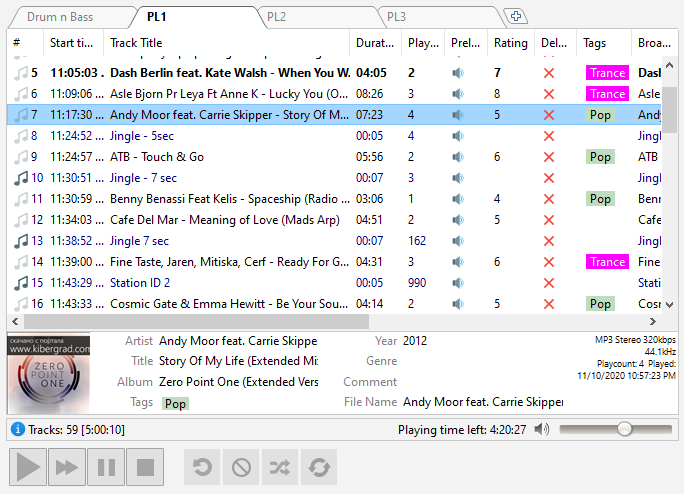
For more information on playlists, please refer to the Playlist window.
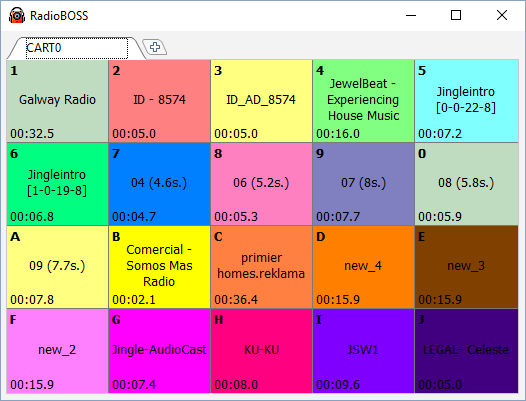
Additional zones can be activated from the menu: View -> Work Zones
Zones 2 and 3 can host Cart Wall, AUX Player, Web browser, Search, Notepad and File Explorer.
An additional work zone is placed in a separate window and can be used on a different monitor, for example.
6. Player
The player allows users to play a track from a playlist and provides additional options to control playback.

For more information on the top menus, please refer to the Player.
The style of the playback buttons can be changed in Settings->View, Playback button style.
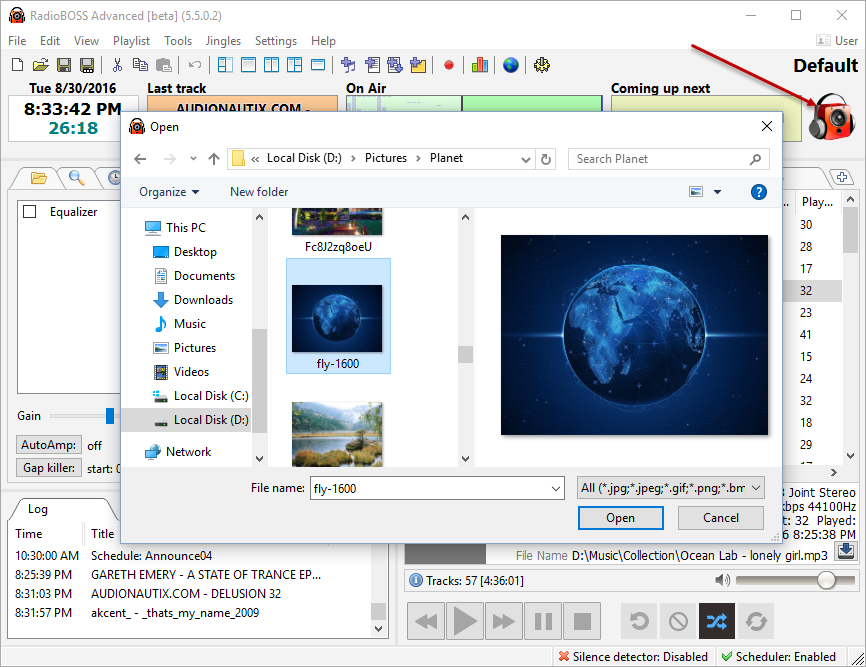
You can change your radio station's logo. Just right-click on the icon in the upper right-hand corner. A window will open in which you can select a new logo. There is a Default caption above the logo - this is the name of the current profile. You can change it by saving the profile under a different name: press Settings -> Save Profile As.
More information: