На вкладке Эффекты можно видеть текущий уровень сигнала, контролировать его, а также добавлять эффекты.
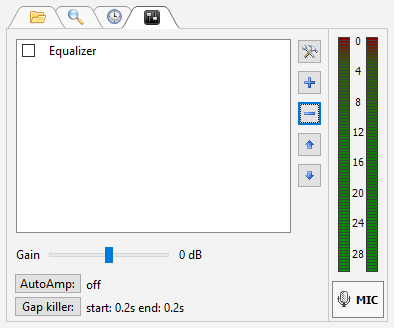
Для добавления эффекта нажмите кнопку "+", для удаления кнопку "-".
Кнопка со значком инструментов - конфигурация выделенного эффекта.
Можно использовать встроенные эффекты: эквалайзер, компрессор, а также использовать плангины VST и Winamp.
Правым кликом на индикаторе уровня можно выбрать его источник, а также настроить режимы работы.
|
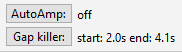
Информация о статусе AutoAmp (автоматическое регулирование громкости) и отрезанной тишине в начале и конце трека. Нажатием на кнопки можно настроить эти функции. |
Дополнительно: