To customize the station info, follow these steps:
1. On the top menu bar, select Settings -> Options...
2. Click Metadata.
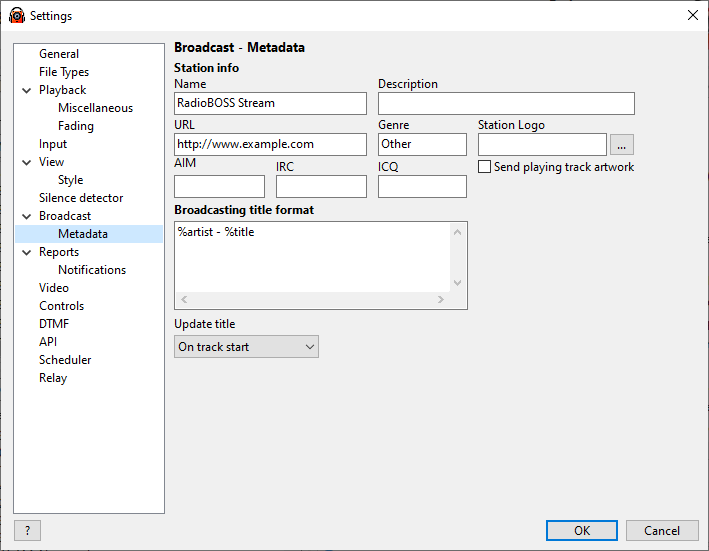
Station info |
Fill in your station information |
Broadcasting title format |
Sets the broadcasting title format. The format can include multiple lines that will be rotated one by one. When multiple lines are used, the Update title period should be set to "Periodic". For possible values please see this page: Title format variables. |
Update title |
When RadioBOSS should update the broadcasting title on the server. The possible values are: •Periodically - set the time interval in seconds to update the title periodically •On track start - the title will be updated when track playback is started |
StreamURL tag |
Embed StreamURL tag in the stream metadata. Typically, this includes the playing track artwork URL. |
Include stream name in title (when playing network stream) |
When playing an Internet stream include its title. If unchecked, only the track title will be displayed. |
Substitute network stream URL |
When playing a network stream, instead of its URL, display the text specified (used in notifications and now playing title updates). |